Lorebook VCS
Revision history for lorebook entries: keep earlier versions of your lore and switch between them - for example the state of the world before and after a war, or a character at different points of the story.
Lorebook VCS is not available in the phone layout.
A revision is a snapshot of the whole entry: name, content, note, enabled, order, filter and filtering mode, insertion mode, Do not search its content for other entries, tags and negative tags. (Revisions made before that flag existed read as off.)
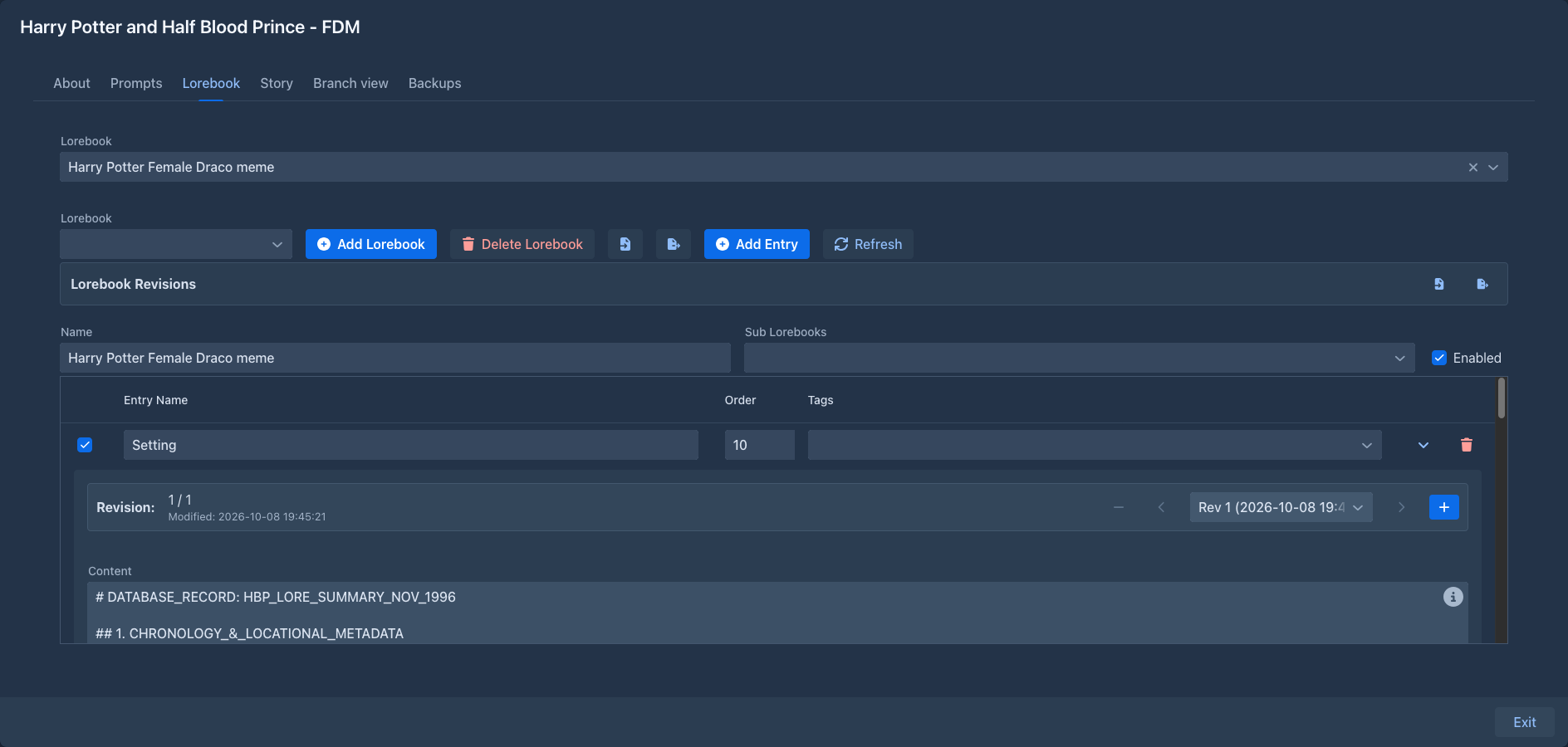
Entry revisions
With the extension installed, the details (⌄) of every lorebook entry start with a revision bar:
Revision: 2 / 3            [−]  [‹]  [Rev 2 (2026-10-08 14:30:12) ▾]  [›]  [+]
Modified: 2026-10-08 14:30:12
Revisions work like slots. The entry always shows one of them - the current revision - and what you change in the entry belongs to that revision. Generation always uses the entry as it is, so the current revision is the one the model sees.
The first time an entry's details are opened, its current state becomes revision 1.
A typical use:
- Open the entry of a character and click + - revision 2 is a copy of revision 1.
- Change revision 2 to the character after the events of chapter 10.
- Write. When you go back to edit chapter 5, switch to revision 1 with ‹; switch back with › later.
Lorebook revisions
The lorebook editor gets a Lorebook Revisions row with two buttons. They work on the lorebook selected in the editor:
An import replaces the history of the lorebook; when the lorebook already has a history, or the file was exported from a different lorebook, the import asks for confirmation first.
A Marginalia history is matched to the entries by the entries themselves first. Entries it doesn't find - for example when the history comes from another copy of the lorebook - are matched by the name and order of their current revision, or by the name alone when only one entry has it. Histories that match no entry are skipped; the confirmation says how many.
SillyTavern history is matched to the entries by their position in the lorebook, so import it into a lorebook imported from the same world info, before you add or delete entries. The trigger keys of its revisions become the entry's filter, the same way the world info import converts them.
Storage
The history is stored in the database with the lorebook, so database backups
include it. The data an extension keeps in a lorebook is also written into lorebook exports
and into the lorebooks of book backups, and into the copies of a book's lorebooks that
agents work on. But importing a lorebook creates new entries, and the history belongs to the identity of
the old ones, so it does not show on them. To move the history to an imported copy, export it from the original and
import it into the copy - the entries are then matched by name and order (see