Tools for the model
Some extensions give the model tools: functions it can call while it writes, to get names, to look up real places, and so on, instead of inventing them. The tools of one extension are a suite; the suites there are:
A dialog that runs the model with tools has a Tools button: the generators of the Lore Generator and of the Arc Outline (not its story import, whose names are in the story already). The button is shown only while at least one suite is installed, and when you have chosen something it says how many things are on: Tools (3).
Choosing the tools
Tools opens a window with one section for each suite, under the name of the suite, with the number of things checked in it. A section with something checked starts open. What is in a section depends on the suite:
-
A suite with items (the Name generator and the Name provider have one for each category or list of names) shows a table with a checkbox each and a filter field of its own above it: type a part of a name to show only the matching items. The items that are checked always stay in the table, whatever the filter says. Check shown checks all the items the table shows at that moment, Uncheck shown unchecks them, and a line below says how many are checked. The model gets only the checked items: it can list them and ask for names of them, and no others.
-
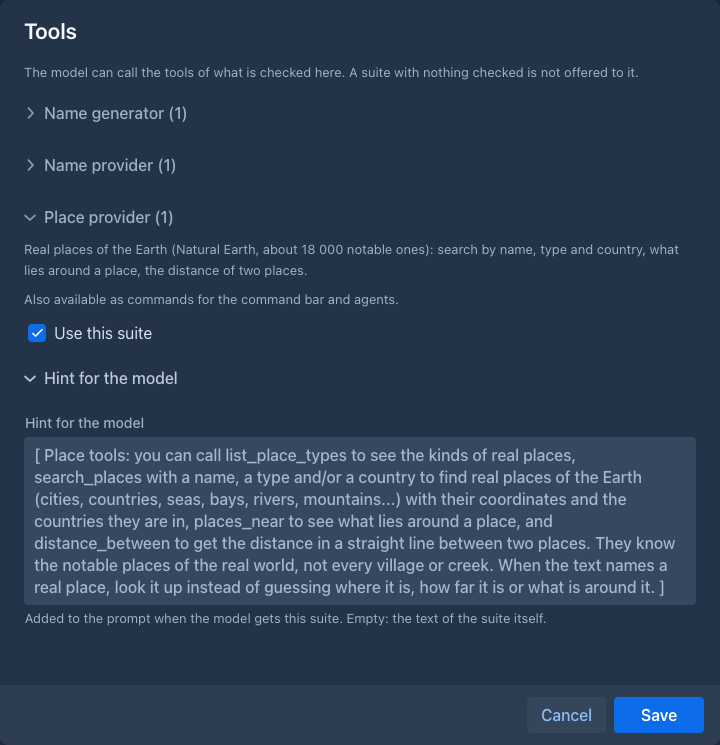
A suite without items (the Place provider) is on or off: Use this suite.
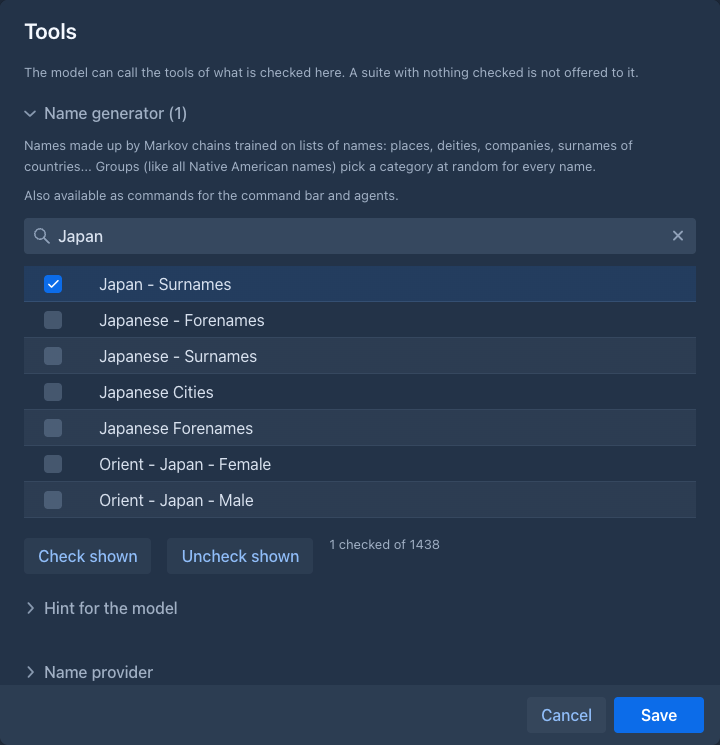
Every section also has a Hint for the model. It is a short text added to the end of the prompt when the model gets the suite, telling it when and how to use the tools (for the names: call the tools instead of inventing names, pick from what you get, keep a real name as it was returned). The built-in text is shown in grey in the field; write your own to replace it, leave the field empty to use the built-in one.
The model gets the suites that have something checked: nothing checked in any of them, no tools. The choice is saved with your account, so it is the same the next time; the Lore Generator also saves the choice with each entry it generated, and opens that entry with it. A suite that was unloaded is skipped, and a checked item that the extension no longer has is ignored. Extensions can be loaded and unloaded while Marginalia runs; the button follows.
If two suites had a function of the same name the generation would not start and say which; the suites that come with Marginalia do not.
As commands
The suites are also commands of the command bar and of agents (/pick-real-names,
/generate-names, /search-places...), so what the model gets here and what an agent can call are the same suite under the same
name.
From an older version
The Name tools button became Tools. The categories you had checked are checked in the suites of the Name generator and the Name provider, and the hints you wrote in Settings → Extension Settings (Name generator hint, Name provider hint) are now the hints of those two suites in this window; the fields in the settings are gone.