Protocols
A protocol is a set of generation settings: the sampling parameters (temperature, top P and penalties) and, optionally, its own context and reply limits. The inference provider says which model writes; the protocol says how.
Protocols are separate from providers, so you can keep a few of them, such as a cautious one and a creative one, and switch a book between them without touching the connection. Like providers, protocols belong to your account.
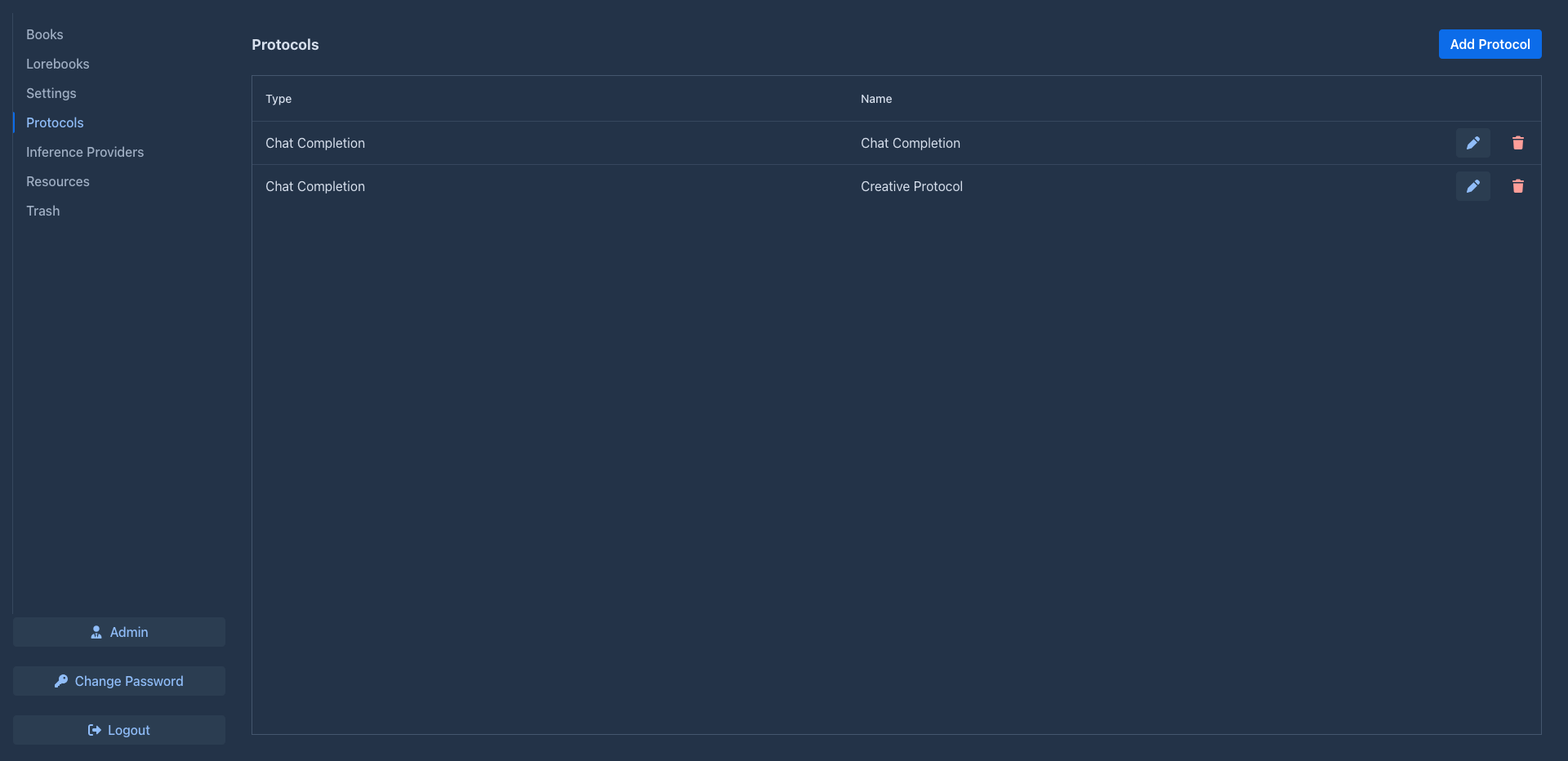
Creating a protocol
Open the Protocols tab and click Add Protocol. Existing protocols are edited with the pen button and deleted with the trash button. The clone button (two sheets) makes a copy of a protocol, with all its settings, under a name you confirm (the original's with (Copy)), handy for trying other sampling settings without losing the ones that work.
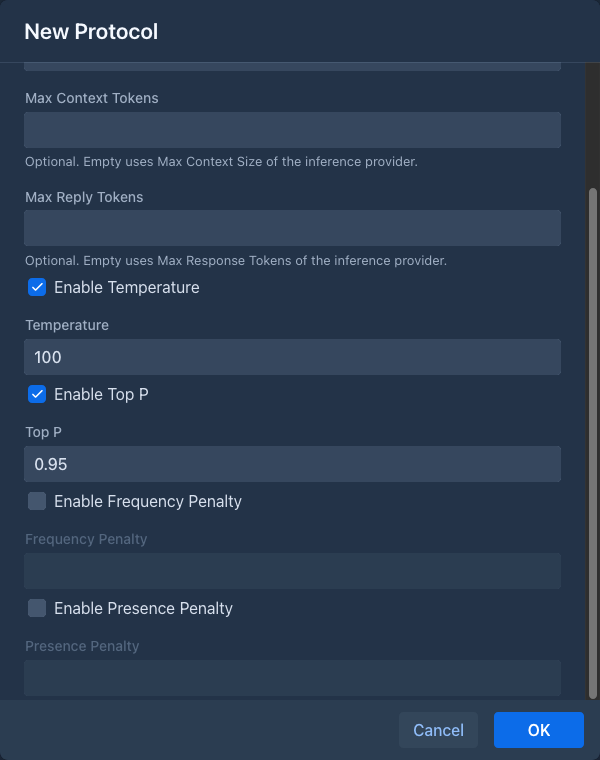
Every sampling parameter has an Enable checkbox. A parameter that is not enabled is not set by Marginalia, and the model uses its own default. Enable only what you want to change.
Limits
The limits of the inference provider always apply. A protocol can lower them, each one separately, but never raise them above the provider's:
A protocol with Max Context Tokens 128 000 used with a provider of 32 000 gets 32 000: the provider is what the service (or the administrator who shares it) allows.
Marginalia keeps room for the response free and fills the rest of the context with the prompt: templates, lorebook
entries, summaries and as much of the story as fits. With a context of 32 000 tokens and responses of up to 2 000
tokens, the prompt gets 30 000 tokens. The response limit is also sent to the API (max_completion_tokens).
Use the protocol limits to keep prompts shorter than the model allows, for example to make long books cheaper and faster with a large-context cloud model, or to keep responses shorter for some books. The protocol limits are also used for summaries of books with this protocol.
Leave both empty unless you need them: the provider's values then apply, and when you change the provider of a book, its limits come along.
Using a protocol in a book
Each book has its protocol in the Protocols field of its About tab. To use a protocol for all new books, select it as Default Protocol in the Settings tab. A book without a protocol can't generate and shows Book is missing protocol.
Suggested settings
Starting points, tune them for your model:
Reasoning models often ignore or reject sampling parameters; leave them disabled for those.