Resource Files
The files of resources (the pictures users attach to story parts, uploaded files) are stored in the
data folder of each user, in data/<login>/images and data/<login>/resources. Deleting a resource, or replacing its
content, only changes the database: the file stays on the disk, and neither the cleanup nor anything else
removes it. Resource Files finds the files that nothing uses any more, lets you download them and deletes them from the
disk to get the space back.
Cleaning up the files
-
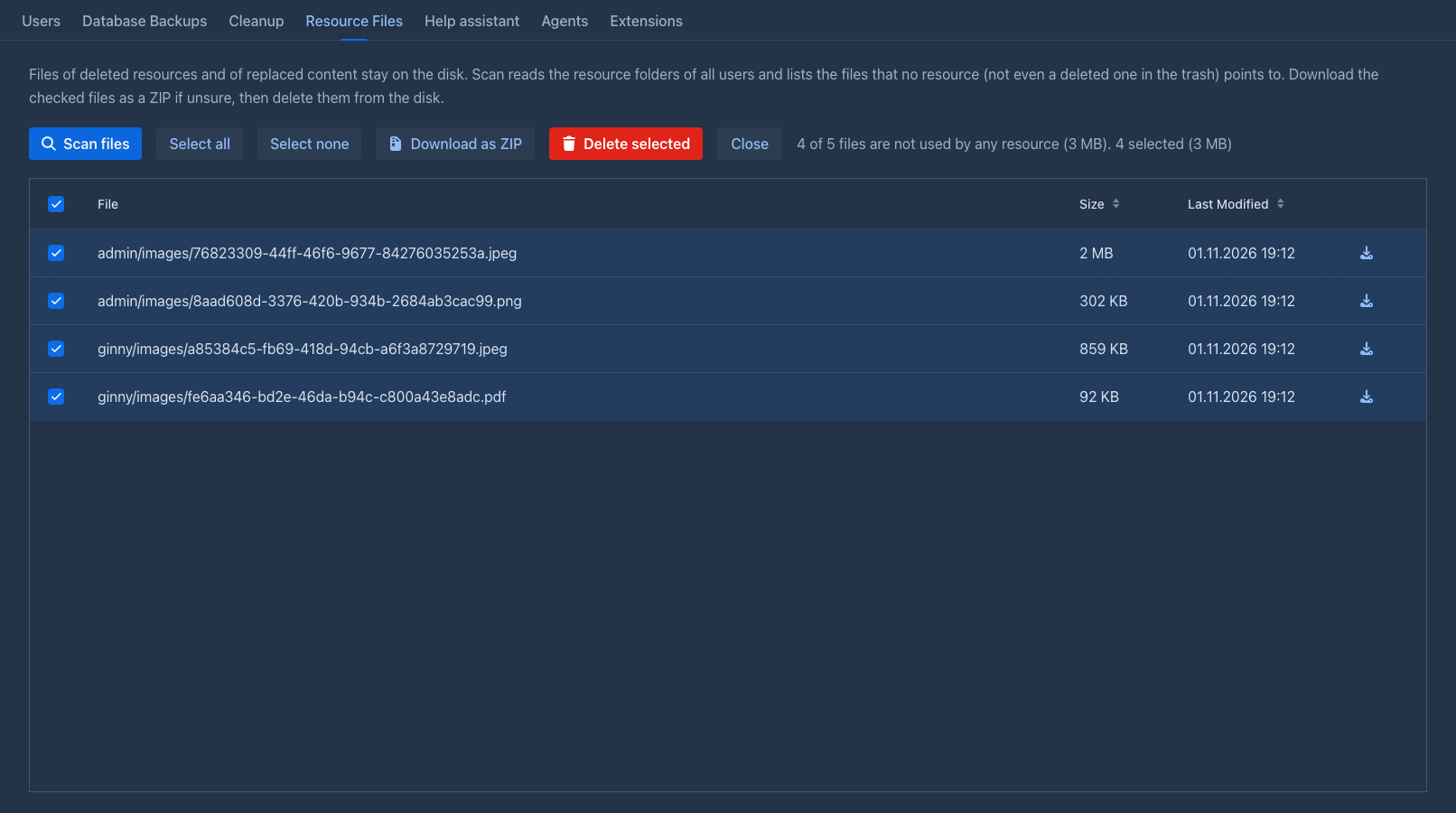
Open the Resource Files tab of the admin page and click Scan files. A progress bar shows the folders being read. Nothing is changed.
-
The table lists the files no resource points to: the path (
<user folder>/images/<file>), the size and the date they were last modified. All of them are ticked. Untick what you want to keep, Select all and Select none change all of them, and the arrow in the header of the first column does the same. A line above the table tells how many of the files are unused, their size, and how many are ticked. -
Optionally click Download as ZIP to get the ticked files in one archive (the entries are named by their path), or the arrow in a row for a single file. That is the backup to keep before deleting.
-
Delete selected removes the ticked files from the disk after you confirm. Close empties the table without deleting anything.
Deleted files can't be brought back. Download them as a ZIP first when in doubt.
What counts as used
A file is used when any resource of any user points to it, a deleted one included: a resource in the Trash can be restored, and its picture must work again. So the files of resources that are deleted are listed only after the cleanup has removed the resources from the database, together with the files of content that was replaced (the old file stays behind) and files left by failed uploads.
The files are compared by name (a random identifier), in the folders of all users, also the <login>-deleted folders of
deleted users: their files stay used until the cleanup purges the user and their resources.
Only the images and resources folders of the folders in the data folder are read, nothing else (database backups,
agent workspaces and so on are not touched).
A file that a user uploads after the scan is not deleted: Delete selected reads the database again and keeps the files that resources point to by then (the message says how many files were kept).
The scan reads the data folder, which can take a while with many files; Stop on the progress bar cancels it.