Trash
Deleting in Marginalia does not destroy anything right away: a deleted book, lorebook, story part or inference provider is only marked as deleted and hidden from your lists. The Trash tab lists these deleted objects and brings them back.
Deleted objects stay in the trash until an administrator runs the cleanup, which removes them from the database for good. Whatever the cleanup has removed can no longer be restored (only a database backup made before still has it).
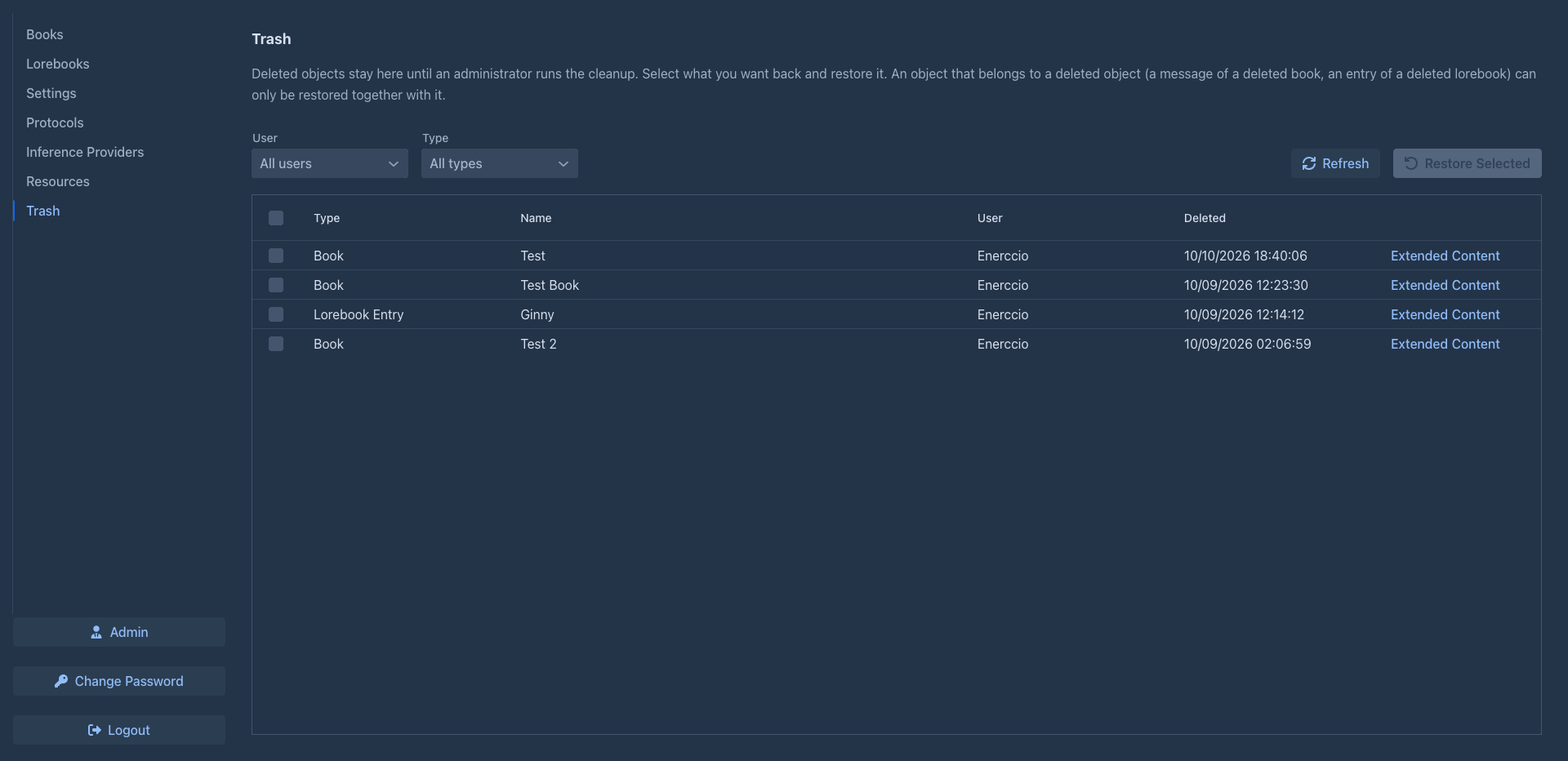
The table loads as you scroll. The most recently deleted objects are first.
Above the table, Type shows only one kind of object, Refresh loads the table again.
Restoring
Tick the objects you want back and click Restore Selected. Marginalia asks before it restores them. The objects are back in their lists, exactly as they were deleted, and the other tabs are refreshed.
Objects that belong to other objects
Deleting an object deletes what belongs to it, and restoring it brings that back: a book takes its story parts, their summaries and its tags with it, a lorebook its entries, a story part its summary and the parts below it, an inference provider its usage numbers. You don't need to tick them: restore the book, and its story comes with it. They show up in the table as separate rows (a book with a long story fills the table with its parts); restoring one of them alone only works when the object it belongs to is not deleted. Something you had deleted on its own earlier (an entry, a story part) comes back with its lorebook or book too, as Marginalia can't tell it from what was deleted together with it.
Some objects can't live without another object:
- an entry needs its lorebook,
- a story part and a summary need their book,
- a book needs its model (inference provider), its protocol and its lorebook, as long as it uses them,
- a tag link needs its tag.
An object whose lorebook, book... is deleted can only be restored together with it: tick both. If you tick only the entry, Marginalia restores nothing and tells you what is missing:
Nothing was restored. These objects need a deleted object that is not selected. Select it too, or leave them deleted. Lorebook Entry "Dragon" needs the deleted Lorebook "Bestiary" (lorebook)
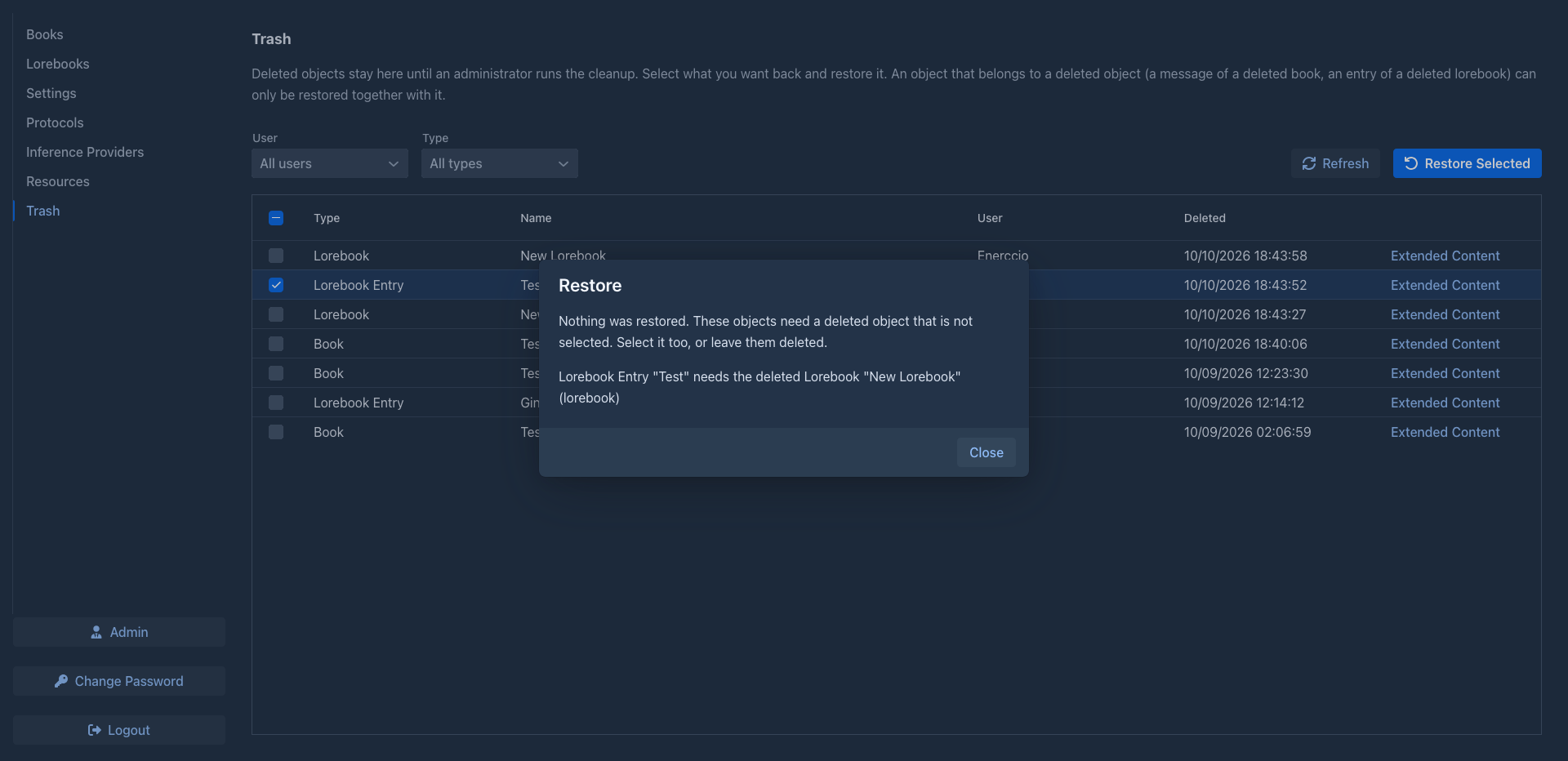
Tick the object it names and restore again. Objects that are not deleted any more (restored in the meantime, or an object you didn't delete) are not a problem.
A restored story part
A story part that was deleted from the middle of a story had its following parts moved to its parent. Restoring it brings the part back under its parent as a new branch, without the parts that followed it: they stay where they were moved to. Restore a whole book instead of single parts when you want the story as it was.
Deleting for good
Waiting for the cleanup is not always what you want: a story part or a lorebook entry you know you never need again can be removed right away. Tick it and click Delete Permanently; Marginalia asks first, and this can't be undone.

-
Only story parts and lorebook entries can be deleted permanently (with their summaries and tags). The button is disabled while anything else is ticked: books, lorebooks and the rest wait for the administrator's cleanup, so you can't remove a whole book by accident.
-
Story parts that are below a removed part are not removed with it, whether they are deleted or not: they move to its parent, as when you delete a part in the editor. If the part was the position a book was open at, the book opens at the parent instead.
-
Marginalia deletes nothing when something can't be removed (for example an extension still needs the object) and tells you which one.
Extended content
Marginalia keeps much of an object's data (the text of a story part, the settings of a lorebook entry, notes that extensions saved) as JSON next to it. Extended Content in a row shows it, so you can check what an object contains before you restore it, for example to find the right story part. Objects without such data (resources) have no link; an object that has none shows This object has no extended content.
Administrators
Administrators see the deleted objects of all users and can restore any of them. The User filter above the table shows the objects of one user; the User column tells whose they are. Restored objects go back to their owner.
The same table is in Admin → Cleanup (Trash), so you can see what the next cleanup removes. Objects of a deleted user can't be restored: they depend on the user.