Cleanup
When users delete something in Marginalia - a book, a story part, a lorebook, an inference provider - it disappears from their lists, but stays in the database. That makes deleting safe and keeps references working (a book still knows the provider that wrote its parts). Until then users can restore their deleted objects from the Trash tab. Cleanup removes such deleted data for good, to keep the database small.
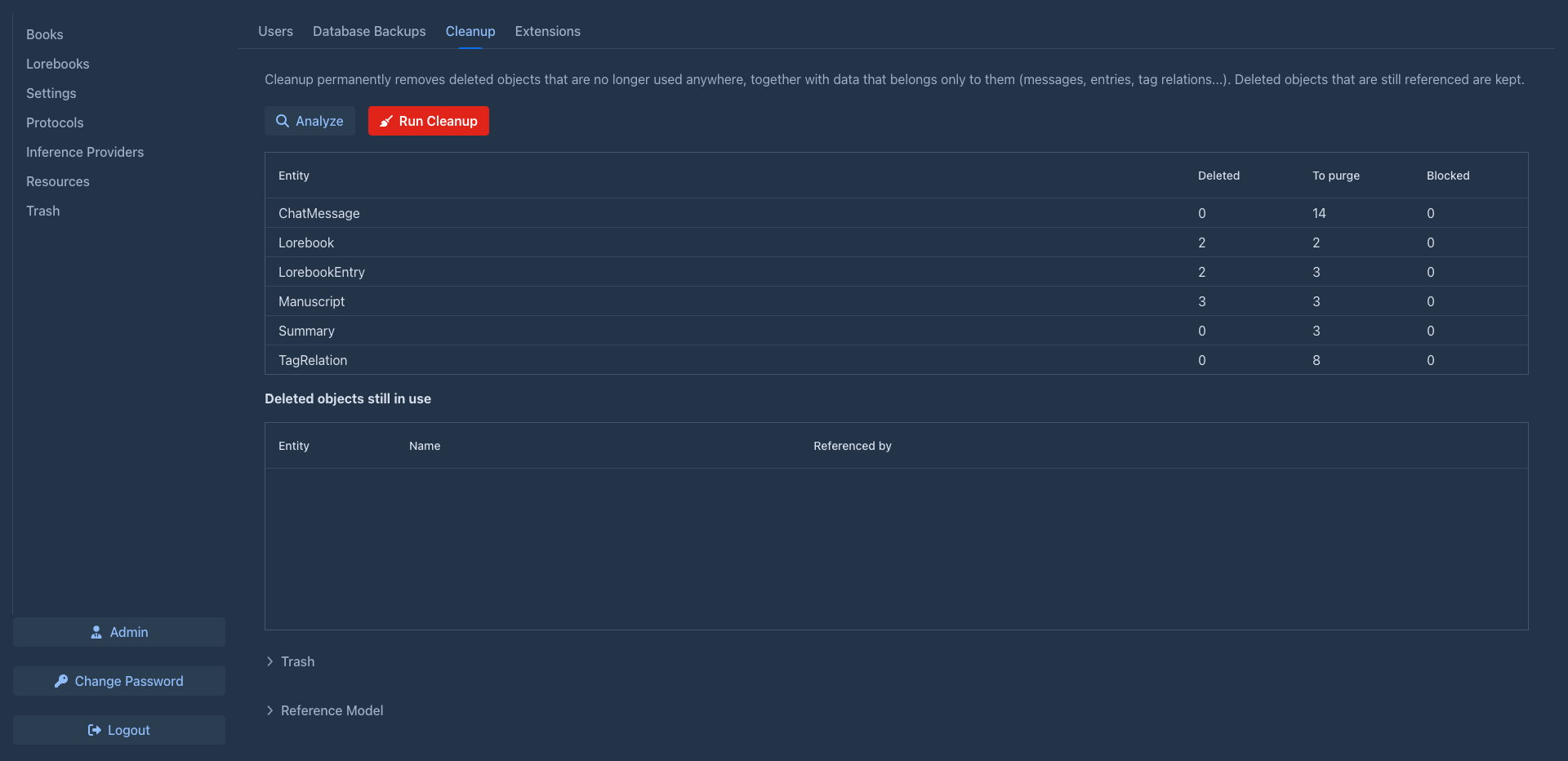
Running a cleanup
Cleanup can't be undone, what it removes is gone from the Trash too. Create a database backup first.
- Open the Cleanup tab of the admin page and click Analyze. Nothing is changed yet.
- Check the result (see below).
- Click Run Cleanup and confirm n objects will be permanently removed.
Cleanup covers the data of all users.
Cleanup deletes entries from the database, and only the files of agents: the workspace of a purged agent and the folder of a purged run. The files of deleted resources (pictures of the parts) stay in the data folder of their owner until you remove them in the Resource Files tab.
Seeing what is deleted
Trash below the tables lists the deleted objects of all users, one row per object (open it to load the table), so you can see what a cleanup would remove and restore what somebody asked you to bring back. It is the same table as the Trash tab, including the filters by user and type and the Extended Content link.
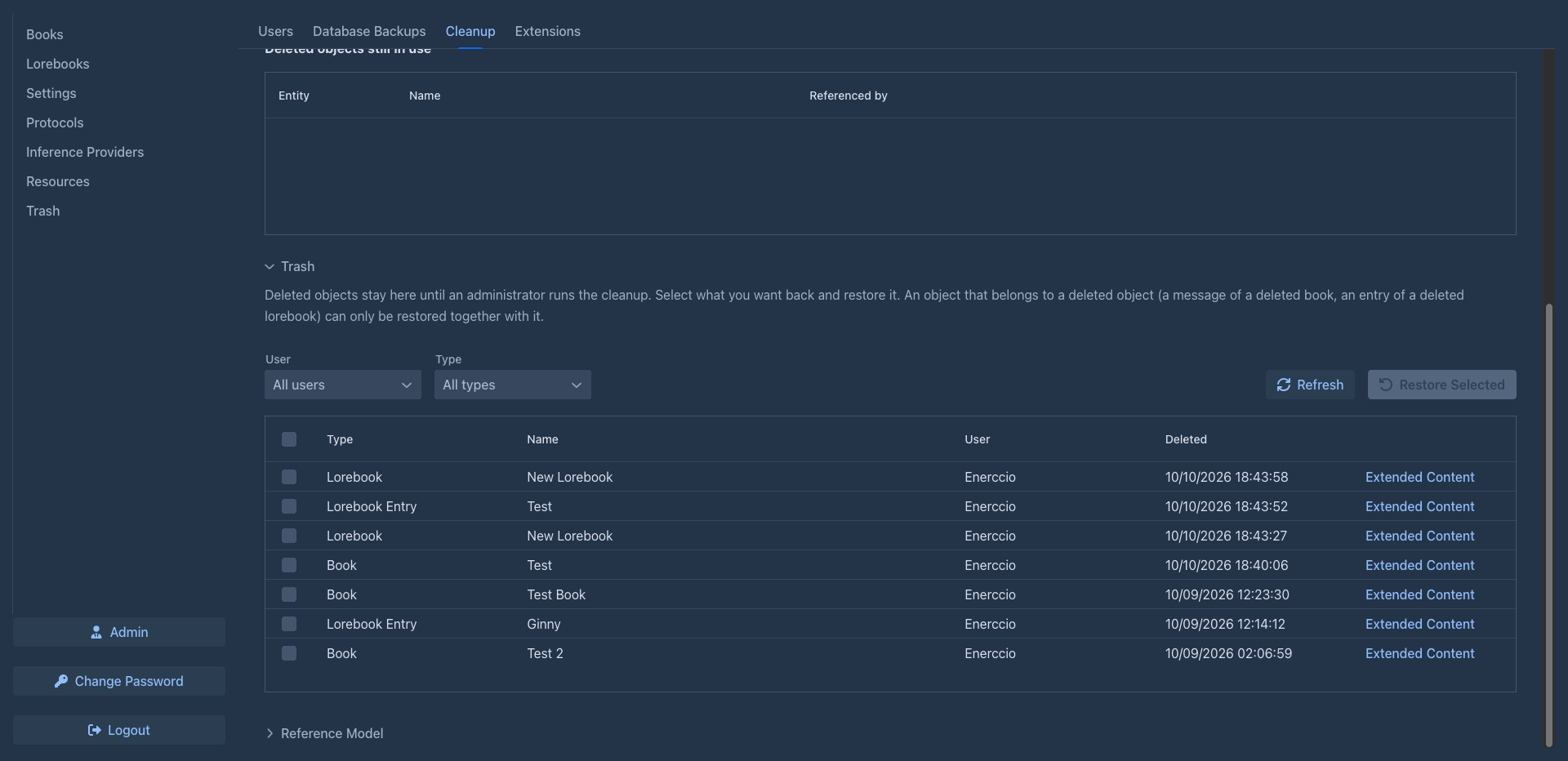
Reading the analysis
The first table has one row per kind of data:
Deleted objects still in use lists the blocked objects with the name and Referenced by - what still uses them.
What is removed
Cleanup removes deleted objects that nothing alive uses any more, together with the data that belongs only to them:
What is kept
A deleted object is blocked - kept - while something alive still uses it:
Run Analyze again after unblocking.
Reference model
Reference Model at the bottom lists every reference between the kinds of data and its policy - useful when you want to understand why something is blocked:
Extensions can take part in cleanup with their own rules.