Users
The Users tab of the admin page lists all accounts with their Username, Full Name and whether they are an Administrator.
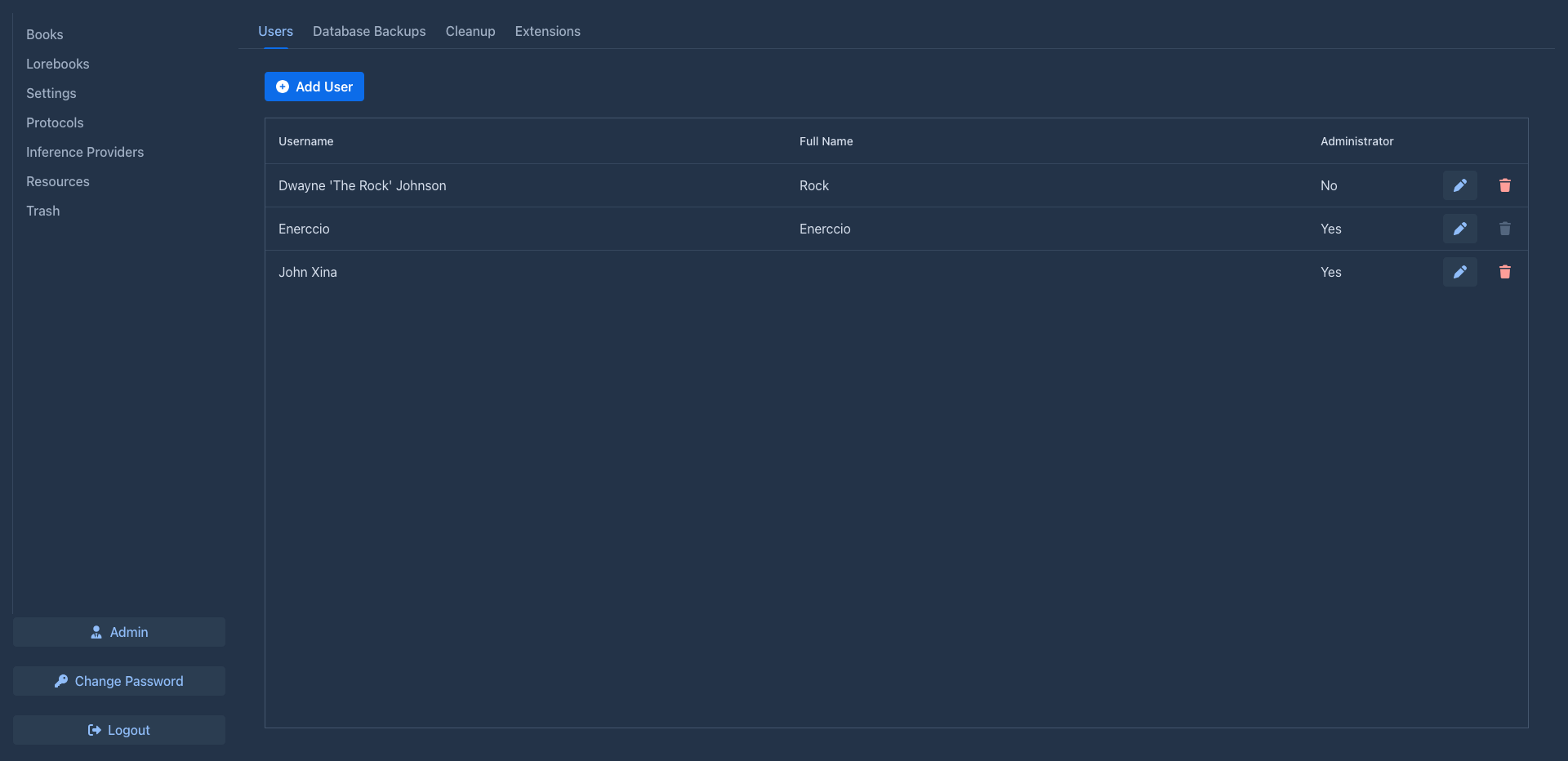
Adding a user
- Click Add User.
- Fill in Username, Full Name, Password and Repeat password.
- Check Administrator if the user should manage the installation.
- Click OK.
Give the user name and password to the person; they can change the password later themselves (see Account & settings).
Always set a password
Marginalia accepts an account with an empty password - anyone can then log in with just the user name. Only do that on the desktop app on your own computer. Creating a user without a password asks for confirmation first.
The user name must be unique.
Editing a user
The pen button opens the same dialog for an existing user:
- change the user name, full name and the administrator flag;
- leave both password fields empty to keep the user's password as it is;
- to set a new password, enter it in both password fields;
- to clear the password, tick Clear password (the password fields are disabled) and confirm. The account then has no password.
You don't need the user's current password for any of this. A new or cleared password ends all the user's saved logins.
Resetting a forgotten password
Marginalia has no password reset by e-mail. Either:
- set a new password here and tell it to the user, who can change it later with Change Password; or
- tick Clear password, tell the user to log in with their user name and an empty password, and to set a new password right away with Change Password (leave Current Password empty). The administrator never learns the new password this way.
Until the user sets a new password, anyone who knows the user name can log in to a cleared account. On a server, clear the password only when the user can log in right away.
The last administrator can't lose the administrator flag: The last administrator cannot be deleted or demoted.
Users and providers
Adding an inference provider needs the permission Create own models; administrators always have it. A user without it can only use the providers the administrators share. The providers a user already has keep working and can still be edited. See Permissions.
Permissions
The key button in the row of a user opens their permissions: what the user may do beyond the ordinary, such as adding their own models or asking the help assistant. A new user has none, give them what they need after adding them.
Deleting a user
The trash button deletes the account after confirming. You can't delete your own account or the last administrator.
The user can no longer log in, saved logins on their devices stop working, and the user name becomes free for a new account.
Their books, lorebooks, inference providers (with their API keys), protocols, tags and settings disappear with the account - nobody can see them any more - and the next Cleanup removes them from the database together with the account.
The user's files (uploaded images and resources) are kept: their folder in the data directory is renamed to
<login>-deleted (<login>-deleted-2... if that name is taken), so a new account with the same user name starts with
an empty folder. Delete the renamed folder by hand once you don't need it.