Lorebooks
The phone layout can only select lorebooks, enable and disable them and their entries, and edit the content of an entry. Everything else on these pages needs the desktop layout.
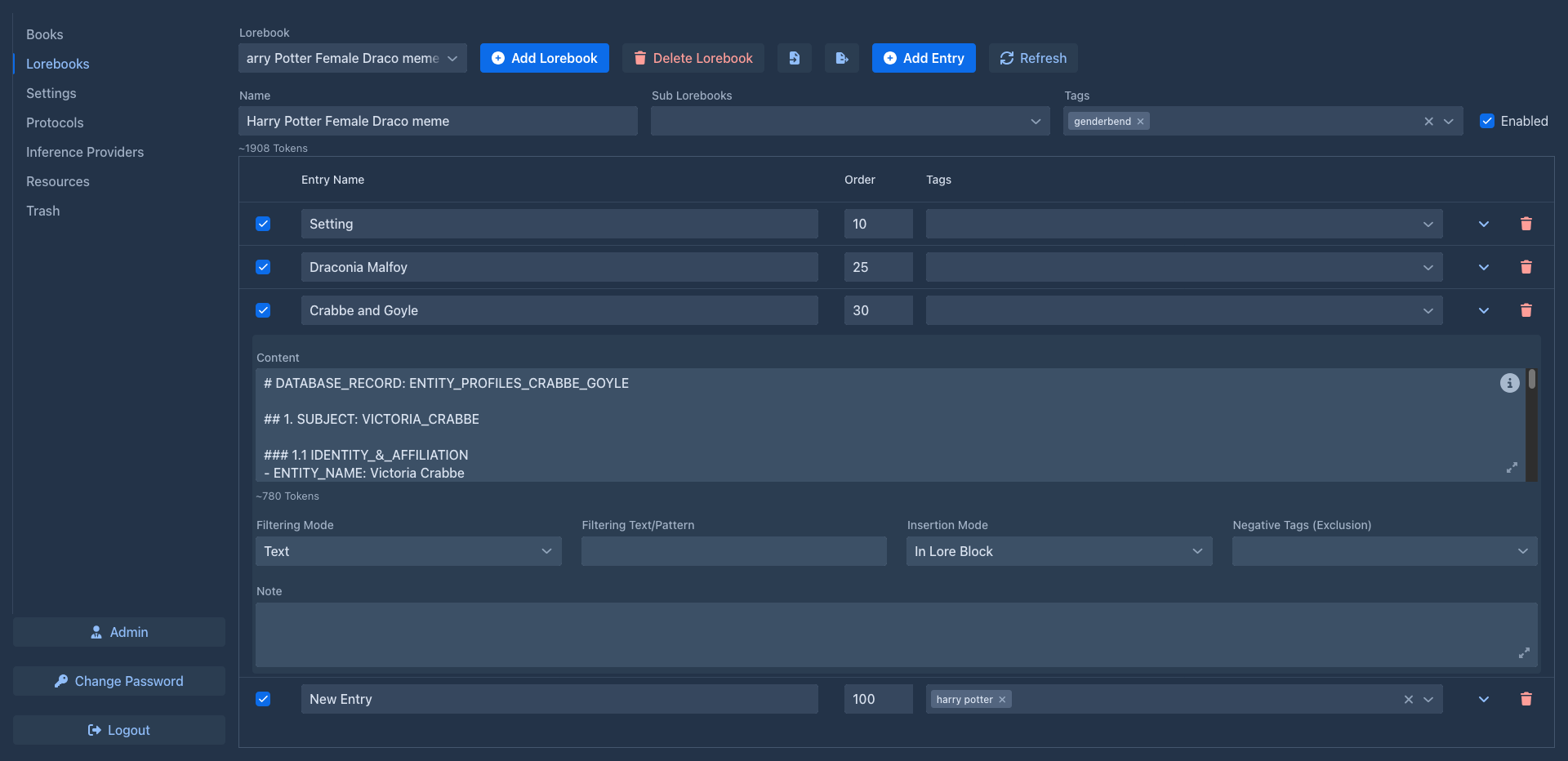
A lorebook holds what the model must know about your world: characters, places, history, rules, terminology. Each piece of knowledge is an entry. Before every generated part, Marginalia decides which entries are relevant and puts them into the prompt - so the model knows who Captain Varro is when he walks into the scene, without every entry taking up space in every prompt.
How it fits together
Book ──uses──▶ Lorebook "Saga" ──sub lorebooks──▶ "Characters", "Places", "Magic"
                   │                                   │
entries entries-
A book uses one lorebook (on its Lorebook tab).
-
A lorebook can include other lorebooks as sub lorebooks. Their entries take part too, so you can keep shared material (a world used by several books, a cast of characters) in its own lorebook and include it where needed.
-
Each entry has the text that goes into the prompt, and conditions that decide when it is used.
When an entry is used
For each generated part, an entry is activated when all of these are true:
- the entry and its lorebook are enabled;
- its tags fit the book's tags (if it has any);
- its filter matches the instructions for the part (if it has one), or, when the entry looks into the story, the newest parts of the story as well.
Activated entries are inserted in their order - into the lore block of the system prompt, or right before the request for the part. See Entries & activation.
Entries without tags and without a filter are always active: use them for what the model must always know.
Lorebooks and other features
- Lorebook entries can use templates and macros - SillyTavern world info keeps working.
- SillyTavern world info can be imported.
- Book backups contain the book's lorebook with its sub lorebooks.
- The Lore Generator extension writes the content of an entry with the model, from the lore you already have.
- The Lorebook VCS extension keeps a revision history of entries.
In this section
- Creating lorebooks - the lorebook editor, sub lorebooks, using a lorebook in a book
- Entries & activation - entry fields, tags, filters, order and insertion
- Import & export - Marginalia lorebook files and SillyTavern world info