Reviewer
Lets the model review what you've written: reader reactions, an editor's critique, a continuity check - whatever you prompt it for. Reviews are kept with the part, next to the story, and never become part of the book.
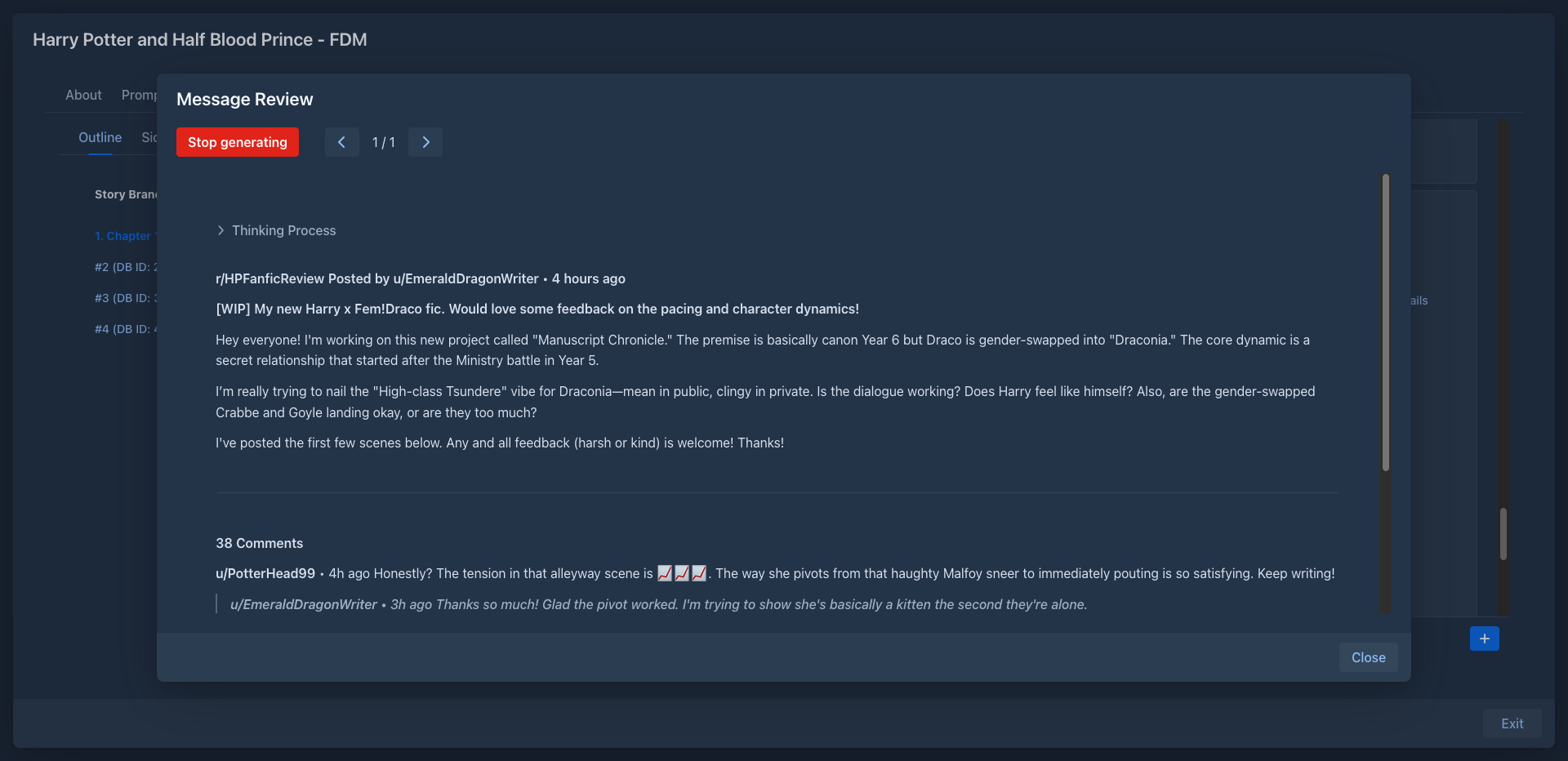
Reviewing a part
The menu (☰) of every part in the story editor gets a Review submenu:
In the review dialog:
- ‹ / › page through the reviews of the part; › on the last review generates a new one;
- Stop generating interrupts the review being written;
- click the text of a review to edit it; it is saved when you click outside the field;
- Thinking Process shows the reasoning of reasoning models;
- Close closes the dialog.
What the model gets
By default the review uses the same prompt the part was written from (Use standard prompt info): the system prompt with the lore and summaries, the earlier parts, then the part itself, and finally the review prompt. The model reviews the part with the full context of the story.
The pre-prompt of the profile, if set, comes first as a system message.
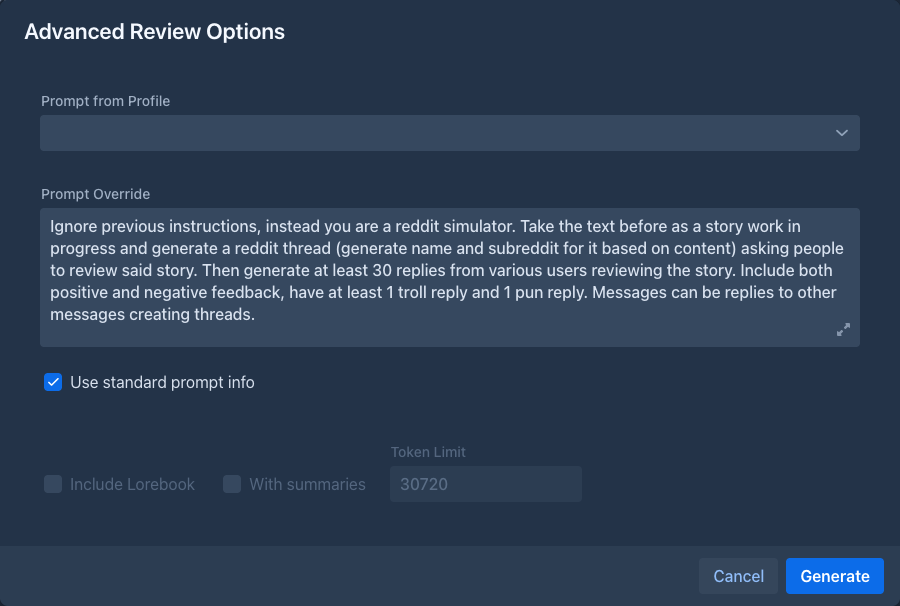
Advanced options
With Use standard prompt info off, the dialog shows the size of the request (Total tokens). Generate opens the review dialog with these options; further reviews generated in that dialog use them too.
Profiles
Reviewer settings are in Settings → Extension Settings → Reviewer Settings. They are organized in profiles:
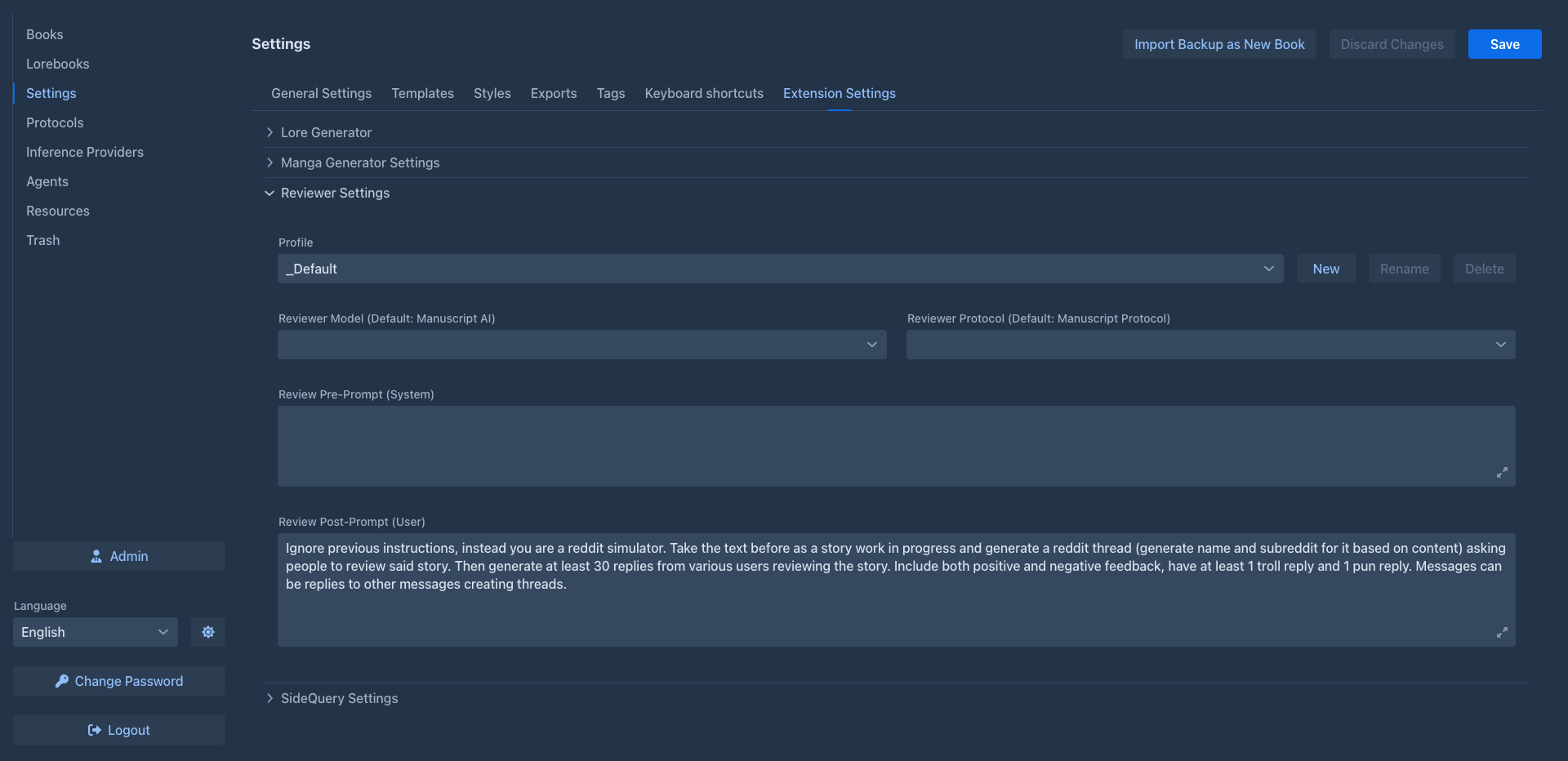
Click Save at the top of the Settings page to keep the changes.
The default post-prompt simulates a discussion on a story forum: a made-up thread with thirty replies from different readers, positive and negative. Other ideas:
- List continuity errors in the last part compared to the earlier story. Quote the passages.
- As a line editor, point out clichés, repetitions and weak verbs in the last part, with suggestions.
- Describe how a first-time reader would feel at the end of this part, and what they expect next.
Create a profile for each kind of review and select the one you want before reviewing. A cheaper model for reviews saves cost: set it as the profile's Reviewer Model.
Storage
Reviews are stored with the story part, so they are part of book backups and copies. Branch Story doesn't copy them. Profiles are stored in your user settings.