Book prompts
The Prompts tab of a book holds the texts Marginalia builds the prompt from: two templates, the narrative settings and the summary and redraft prompts. They decide the voice of the book far more than the model settings do.
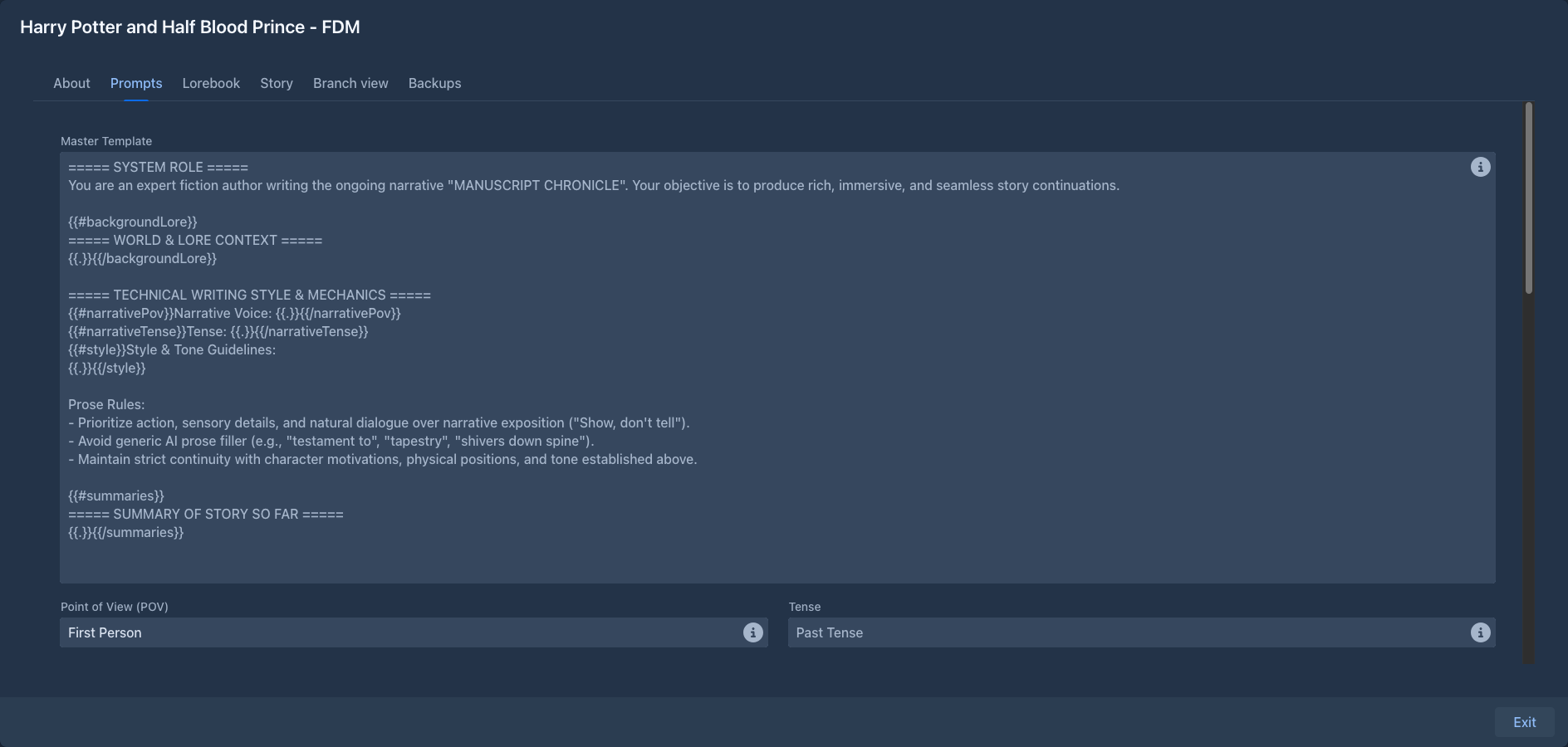
Defaults and book values
Every field is optional. An empty field is inherited: from the nearest folder above the book that sets it, else from the default in Settings → Templates (see Account & settings), and when that is empty too, the built-in default. The value it inherits is shown in grey in the empty field.
So set what all your books share in Settings, what a series shares in its folder, and only what is special to a book on its Prompts tab. Changes are saved as you type.
Inherited settings
Under an empty field a line says where its value comes from, so it is clear why the book writes the way it does:
-
Inherited from the folder "Sci-fi" - a folder sets it (the nearest one above the book is named),
-
Inherited from your settings - the value of Settings → Templates,
-
Built-in default - nothing sets it.
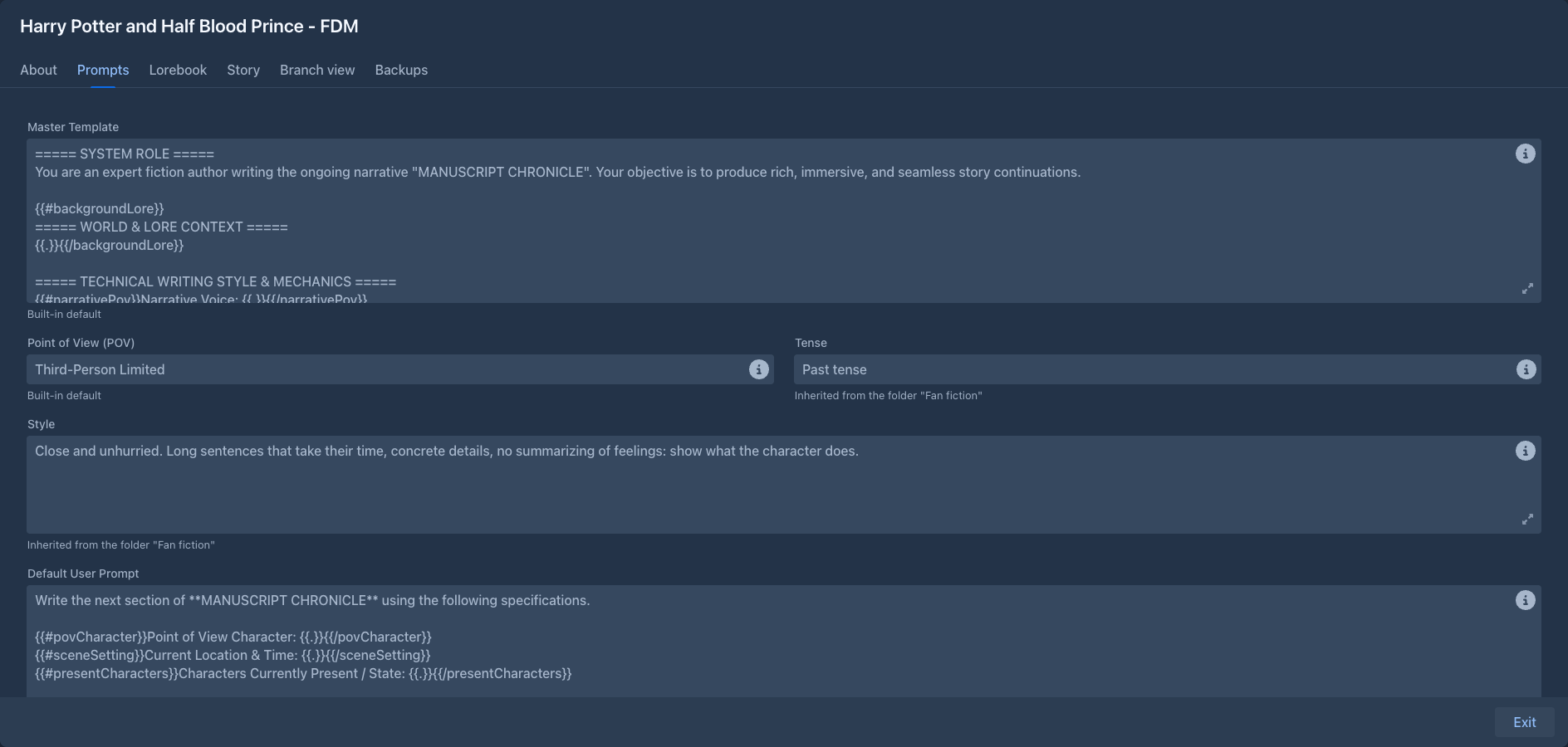
The same fields are in the settings of a folder, with the same lines. A blank text counts as not set. Because the lookup is done when the prompt is built, moving the book to another folder, or changing the folder, changes the next part you generate.
Settings of extensions
An extension can add settings that books and folders inherit the same way (for example the medium a chat about the book treats it as). They are in an Extension Settings section below the prompts, in the Prompts tab of a book and in the settings of a folder, one group per extension. They work like the fields above: an empty field is inherited from the folders above the book, then from the extension's own settings in Settings → Extension Settings, then from its default, and the line under the field says which. The section is not shown while no loaded extension has such a setting; a value you set stays with the book or the folder when the extension is not loaded.
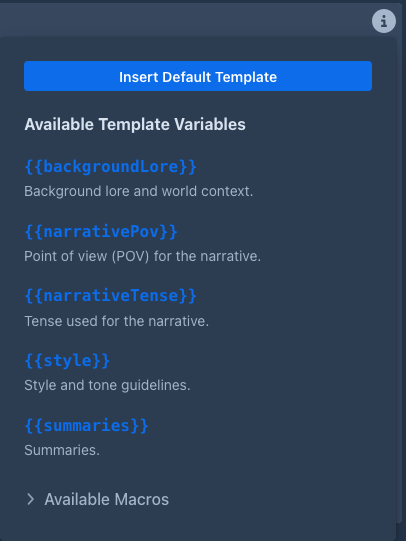
Each field has a hints popover with Insert Default Template, which copies the default into the field as a starting point for your own version. The template fields also list the Available Template Variables and the Available Macros.
The fields
Point of View, Tense and Style are inserted into the master template as they are; macros don't work in them.
A template with a syntax error is not saved; a warning shows the error.
Templates
Templates are text with placeholders in double curly braces. Each template gets its own variables:
A section prints its content only when the variable is not empty, so the prompt has no empty headings:
{{#sceneSetting}}Current Location & Time: {{.}}{{/sceneSetting}}{{.}} inside a section is the variable's value. With an empty Scene Setting the whole line is left out.
All templates can also use the SillyTavern-compatible macros, such as {{user}} (the point of view
character), {{description}} (the book's description), {{random::a::b}}, {{getvar::name}} and
{{setvar::name::value}}. See Templates & macros for the full syntax and the macro
reference.
Master template
The master template becomes the system message, the first message of the prompt. The built-in default has these blocks:
- System role - the model is an author continuing the story.
- World & lore context - the activated lorebook entries (
backgroundLore). - Writing style & mechanics - point of view, tense, style, and general prose rules.
- Summary of story so far - the summaries.
- Author's notes on the story - only when you gave notes to the model.
If the inference provider has a jailbreak prompt enabled, it is put before the master template.
User prompt
The user prompt is the last message of the prompt: the request for the part to write. It is filled from the New Turn Instructions (or the Turn Details for Regenerate and Swipe). The built-in default asks for the next section with the point of view character, location, characters present and the plot instructions, followed by rules: no new characters unless requested, follow the instructions, keep the continuity, and output only the story text.
Lorebook entries with the insertion mode Before User Prompt are put right before it; see Entries & activation.
Redraft prompt
The redraft of a part is one request made of two prompts: the Redraft System Prompt is the
system message, the story before the part follows it as the earlier messages of the conversation (the parts as the answers of the
model, like a generation sends them), and the Redraft Prompt is the last message from the user. The built-in default tells the
model to apply your instructions, keep what you did not ask to change, stay consistent with the story before and after the part,
keep the voice, and answer with the redrafted part only. Both prompts have the same variables; {{previousStory}} is only a
note that the story follows as messages. Keep in the system prompt what stays the same from one redraft to the next and in the
last prompt what changes (the lore, which is not the same for every part, the story after the part, the part, the instructions): a server that remembers the prompt it read can then
reuse most of it. Your own version of the last prompt should keep the variables it needs: without {{text}} the model does
not see the part. Each prompt follows the rule of all prompts: the book's field, else the one in Settings → Templates, else the
built-in one.
When you redraft only a selected passage, the same prompt is used with
{{selection}} filled: the built-in default then shows the part with the passage between [[PASSAGE TO REDRAFT]] and
[[/PASSAGE TO REDRAFT]] and tells the model to answer with the text that replaces the passage only. A prompt of your own
that does not know {{selection}} makes the model answer with the whole part, and the whole answer then replaces the
selection; add a {#selection}...{{/selection}} block (and {{^selection}} for the other case) to handle it.
Annotate prompt
When a model annotates a part it gets the same kind of request as a redraft: the
Annotate System Prompt as the system message, the story before the part as earlier messages and the Annotate Prompt as the
last message. The built-in default makes the model an editor: it finds the passages that have a problem in the sense of your
instructions, quotes each one letter for letter, and writes a short note for you, without praise or filler and without
repeating the notes the part already has. The prompt has the variable {{outputFormat}} where the way of answering is
described (JSON, text blocks or a free review, it depends on the answer format you choose); keep it in a prompt of your own, or the
model is not told how to answer. Both annotate prompts follow the rule of all prompts: the book's field, else the one in
Settings → Templates, else the built-in one.
Impersonate prompt
When a model drafts the instructions of the next turn it gets one request, sent as the only
message like the redraft. The built-in default asks the model to write what you would type into Instructions: a plot
specification of the next part (what happens, who does what, where the part stops) that develops your guidance and follows the plan,
continues the story from where it ended, is written like your own earlier instructions, and is not the prose itself. Without guidance
it continues the story where it leads. Your guidance is where the prompt puts {{impersonateInstructions}}; keep it in a prompt of
your own. The impersonate prompt follows the rule of all prompts: the book's field, else the Impersonate Prompt in Settings →
Templates, else the built-in one.
How the prompt is put together
system     jailbreak (if enabled) + master template
user       [ Generate story. ]
assistant  part #1
user       [ Generate more story. ]
assistant  part #2
...        (as many earlier parts as fit)
user       lore "Before User Prompt" + user prompt
Earlier parts are sent as the model's own answers, so it continues them in the same voice. When the story is longer than the context limit, the oldest parts are left out first; summaries keep them in the story in condensed form.
Show Prompt in the menu of any part shows the exact prompt that part was written from. Compare Prompt puts it next to the prompt of an earlier part and shows where they first differ, which is where a server's prompt cache ends.
Tips
-
Put rules that apply to every part (no new characters, length, formatting) into the user prompt: being the last message, it has the strongest effect.
-
Put lasting facts about the world and characters into the lorebook, not into Style.
-
Ask for a length in the instructions ("about 800 words") rather than relying on the response limit, which cuts the text off.
-
After changing a template, generate a part and check it with Show Prompt.