Managing books
The book list
The Books tab lists your books. Other users' books are not shown. The list shows one folder at a time, the folders of the current one above its books; at the top level, with no folders made, it is simply all your books.
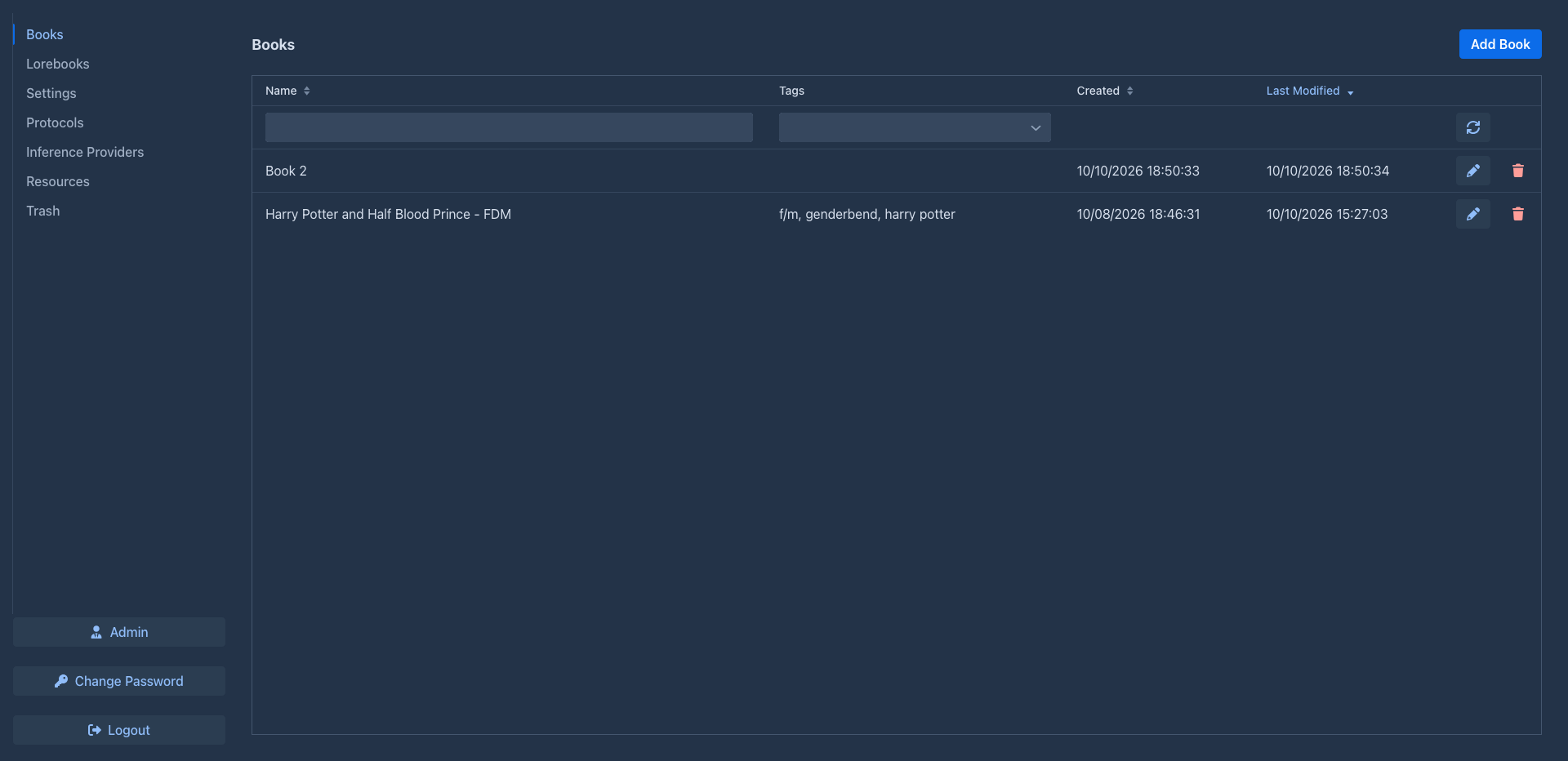
The list is sorted by Last Modified, newest first. Click a column header to sort by it; with several sorted columns the list is sorted by all of them in order.
The row below the headers filters the list:
-
Name - books whose name starts with the text. Use
*as a wildcard:*dragonfinds every book with "dragon" anywhere in the name. -
Tags - books that have all the selected tags.
The refresh button at the end of the filter row reloads the list.
Each row has buttons: the star makes the book a favorite, the pen opens it, Move to folder puts it into a folder, the clone button makes a copy of it and the trash button deletes it. The header has New folder and Organise (the window to move and copy books and folders), and the Mass changes menu.
Advanced search
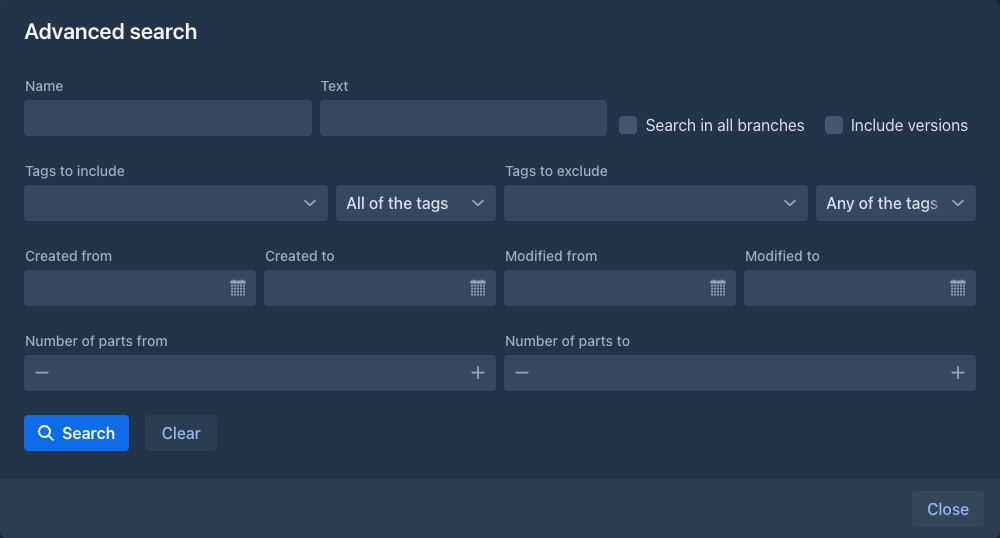
Search (next to Tag books; the magnifier in the header on a phone) opens a window that finds books by more than the filter row can. Fill in what you want to check, leave the rest empty, and press Search (or Enter in a text field):
A book has to pass every check you filled in. The books found are listed below with their tags, the last changed first; a click on a column header sorts them. The folder button opens a book (in its window above the search, so closing the book brings you back to the results). Clear empties the fields.
Cloning a book
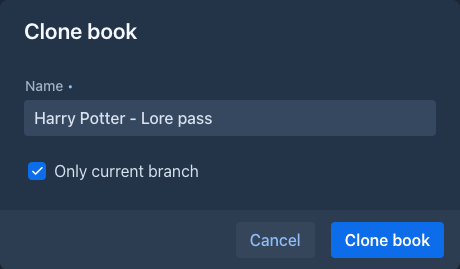
The clone button asks for the Name of the new book (the name of the original with (Copy) by default) and has the check box Only current branch, checked by default. The new book is a separate book that gets:
-
the settings of the book (description, language, prompts, point of view, tense, style, backup settings), the data that extensions keep in the book, and the tags;
-
the same Model, Protocol and lorebook. The lorebook is linked, not copied: a change of it shows in both books;
-
the story with its own copy of the parts, their summaries and pictures. With Only current branch only the parts from the beginning to the end of the active branch are copied; without it all the branches are.
The clone starts a version history of its own (one version per part); the history of the original is not copied.
The clone is not published, even if the original is. The original is not changed. It is put into the same folder as the original.
Tagging many books at once
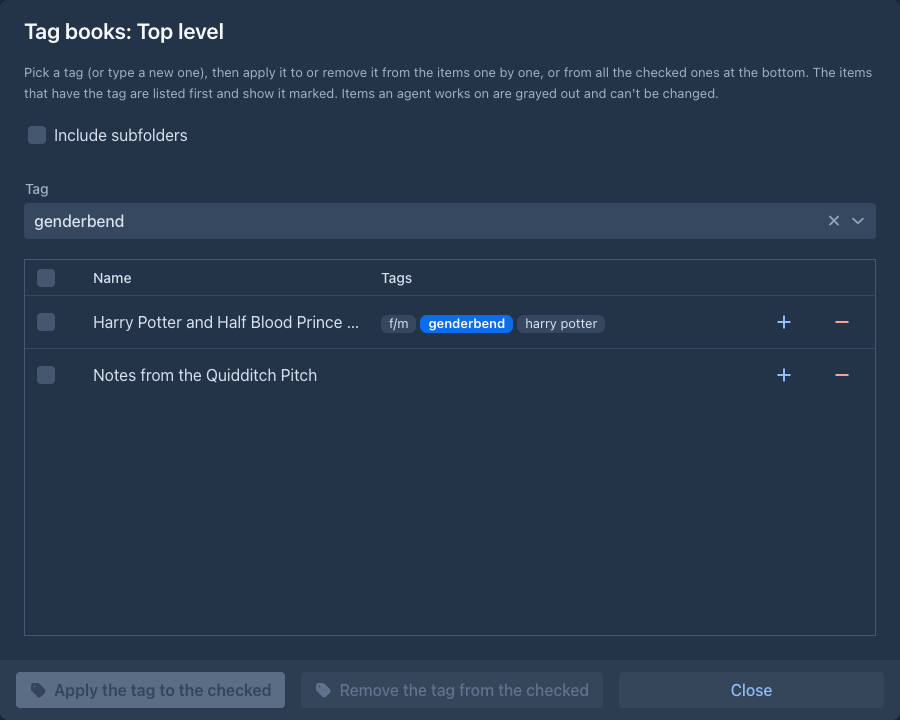
Tag books (next to Add Book) opens a window that puts one tag on many books, or takes it off them, without opening each. Pick the Tag (or type a new one and press Enter) and the list shows every book with its tags; the books that have the picked tag come first and show it highlighted. Each row has a + button that applies the tag to that book and a - button that removes it. To do the same for several books, tick their check boxes (the box in the header ticks all) and use Apply the tag to the checked or Remove the tag from the checked at the bottom. A book an agent works on is grayed out: it is locked, so it can not be ticked or changed until the run is paused or stopped. The same window tags lorebooks and their entries.
Changing the model and protocol of many books
The Mass changes menu (next to Tag books) has the item Mass Change Model/Protocol. It opens a window that puts one Model and/or one Protocol on many books without opening each. Leave a box empty (it shows Do not replace) and that part of the books stays as it is: pick only a model to change the models and keep the protocols. The table lists the books of the current folder by name with the model and protocol they have now; Include subfolders adds the books below it. Type in the filter under Name to narrow the list, tick the books to change (the box in the header ticks all the books that are shown) and press Replace and exit. Books that the filter hides are unticked, so only what you see is changed. A book an agent works on is grayed out: it is locked, so it can not be ticked or changed until the run is paused or stopped.
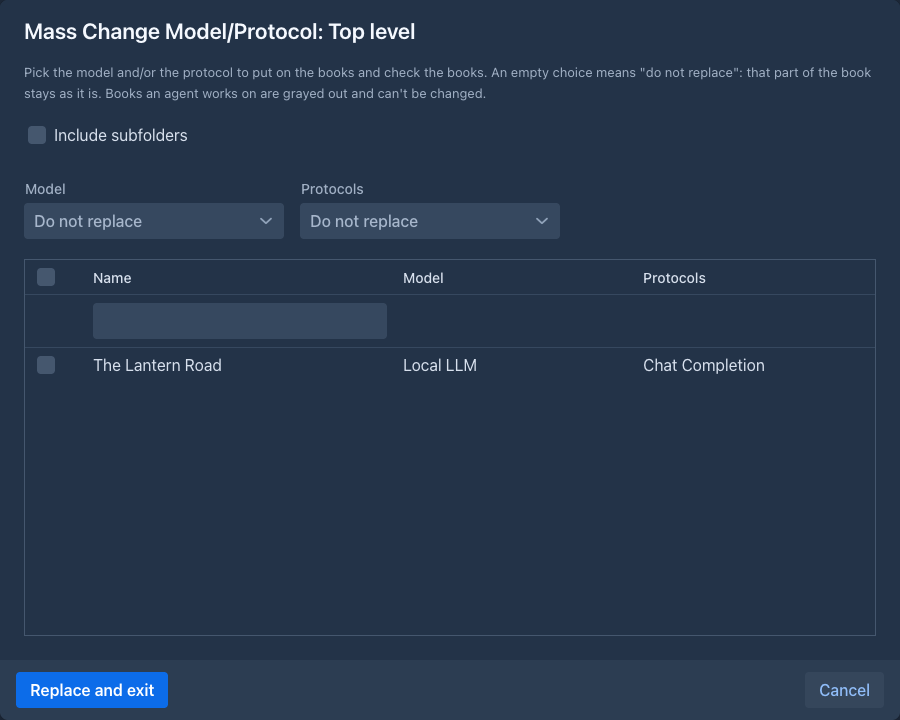
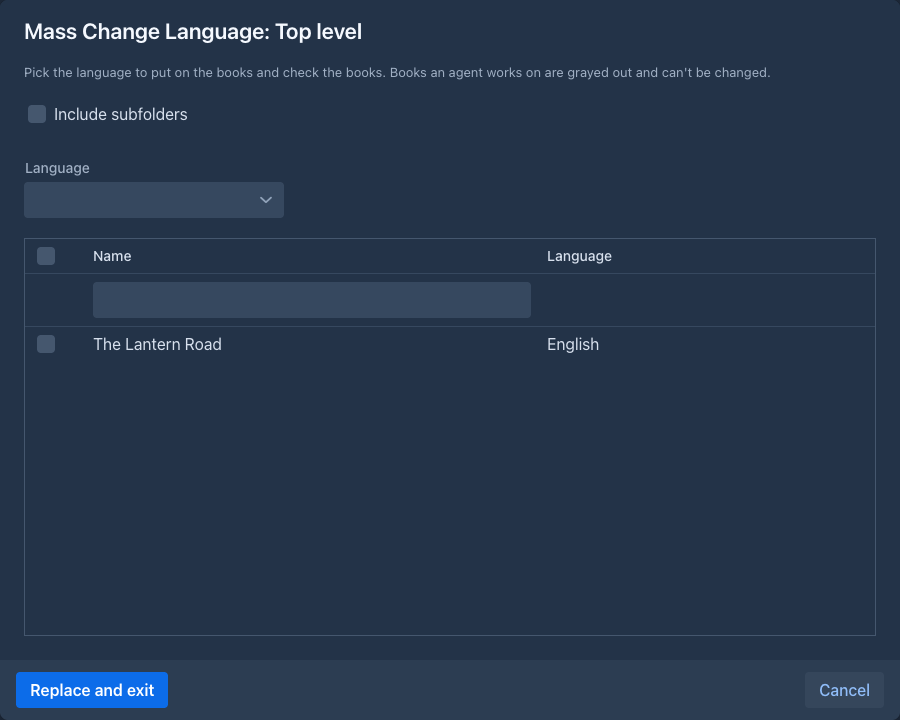
The item Mass Change Language of the same menu works the same way for the Language of the books: pick the language, filter and tick the books, press Replace and exit. The table shows the language each book has now, with what it inherits from its folders (see Language).
Renaming many books
The item Mass Rename renames the checked books at once. Pick how:
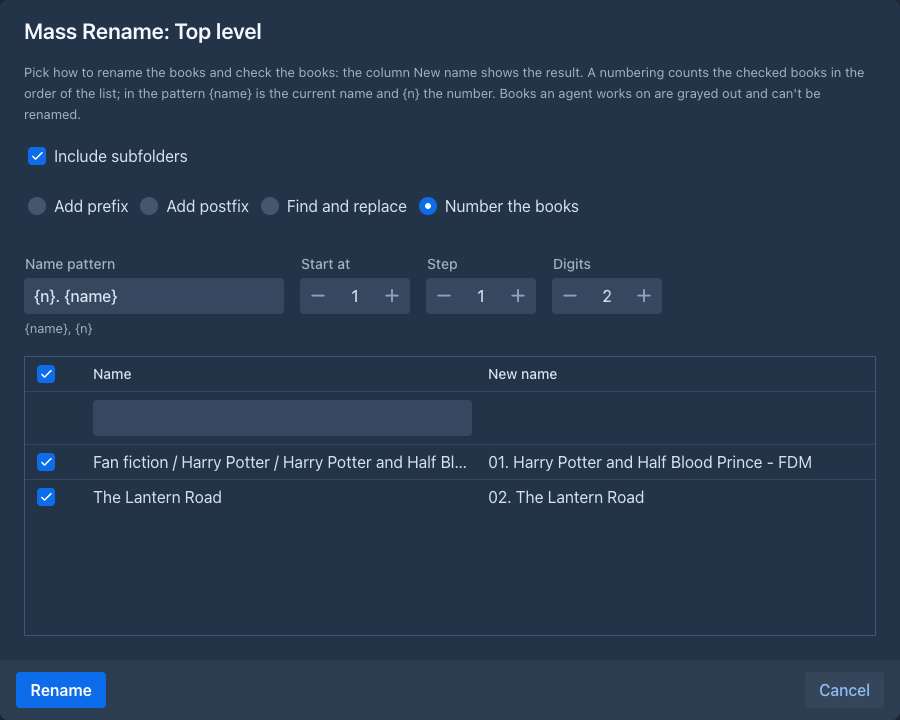
The column New name shows what each checked book would get while you type, so check it before you press Rename. A
numbering counts the checked books in the order of the list (by name). Spaces at the start and the end of the new name are
removed. Nothing is renamed, and the window stays open, when a text is missing, when the pattern has no {n}, when no name
would change, or when a name would end up empty. Filtering, Include subfolders and locked books work as in the other mass
changes.
Tag books and the item Tag folders work on the books, or on the folders, of the current folder in the same way.
Creating a book
- Click Add Book.
- Enter the name and confirm.
The new book is put into the folder the list shows, and so are the books you import from an archive or from SillyTavern. It opens right away. It starts with your Default Model and Default Protocol from the Settings tab (see Account & settings), if you have set them; otherwise select them on the About tab before generating.
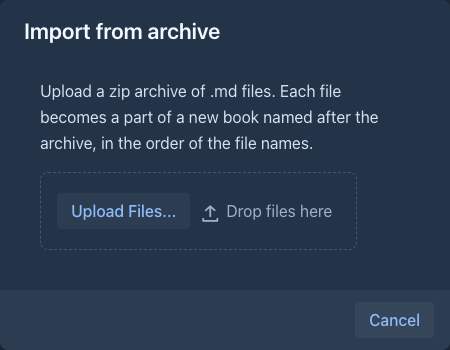
To start a book from a folder of text files, use the import button (file icon, Import from archive) next to
Add Book: upload a .zip of .md files and the new book, named after the archive, gets a part for each file, see
Importing text files.
Importing from SillyTavern
To continue a roleplay or story you started in SillyTavern, use the
import button with the speech bubbles (Import from SillyTavern) next to Add Book. In SillyTavern, export the chat
(Manage chat files, or take the .jsonl files from data/<user>/chats/<character>/), then:
-
Upload one or more
.jsonlchats. A file that is not a SillyTavern chat is refused, the others stay. -
Give the book a name (it is filled from the character of the first chat).
-
Tick Merge user and assistant messages into one part if you want one part per turn: the message of the user (several messages in a row are joined with an empty line) becomes the instructions of the part and the answer after it its text. Without it every message is a part of its own, with its text as the text of the part, so the book reads like the chat did.
-
Click Import. A progress window with Stop shows the parts being stored; stopping keeps what was stored.
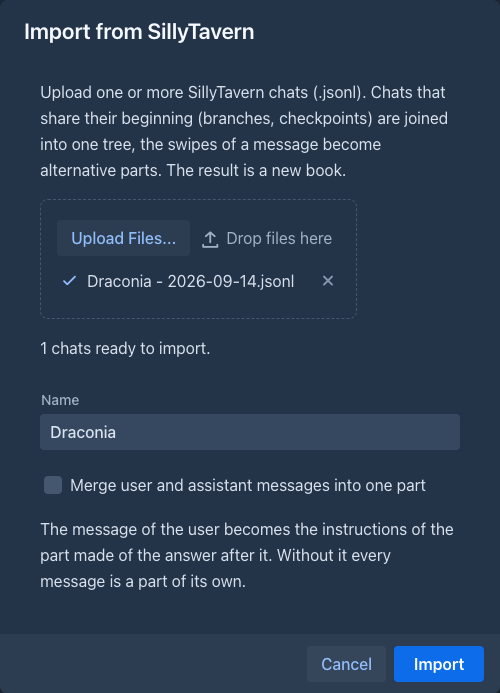
SillyTavern copies the chat when you create a branch or a checkpoint, so the chats of one story share their beginning. Upload them together and Marginalia finds the common messages and stores them once: the chats become the branches of one tree, which you can walk in the tree view. The swipes (alternative answers) of a message become sibling parts, and the book opens at the end of the chat written last (by the date of its last message). Chats that don't begin with the same message become separate first parts. Hidden (system) messages are skipped, and so are swipes that are empty. The reasoning and the model name of an answer are kept with the part.
To start a book from a backup file, use Import Backup as New Book in the Settings tab, see Book backups.
The About tab
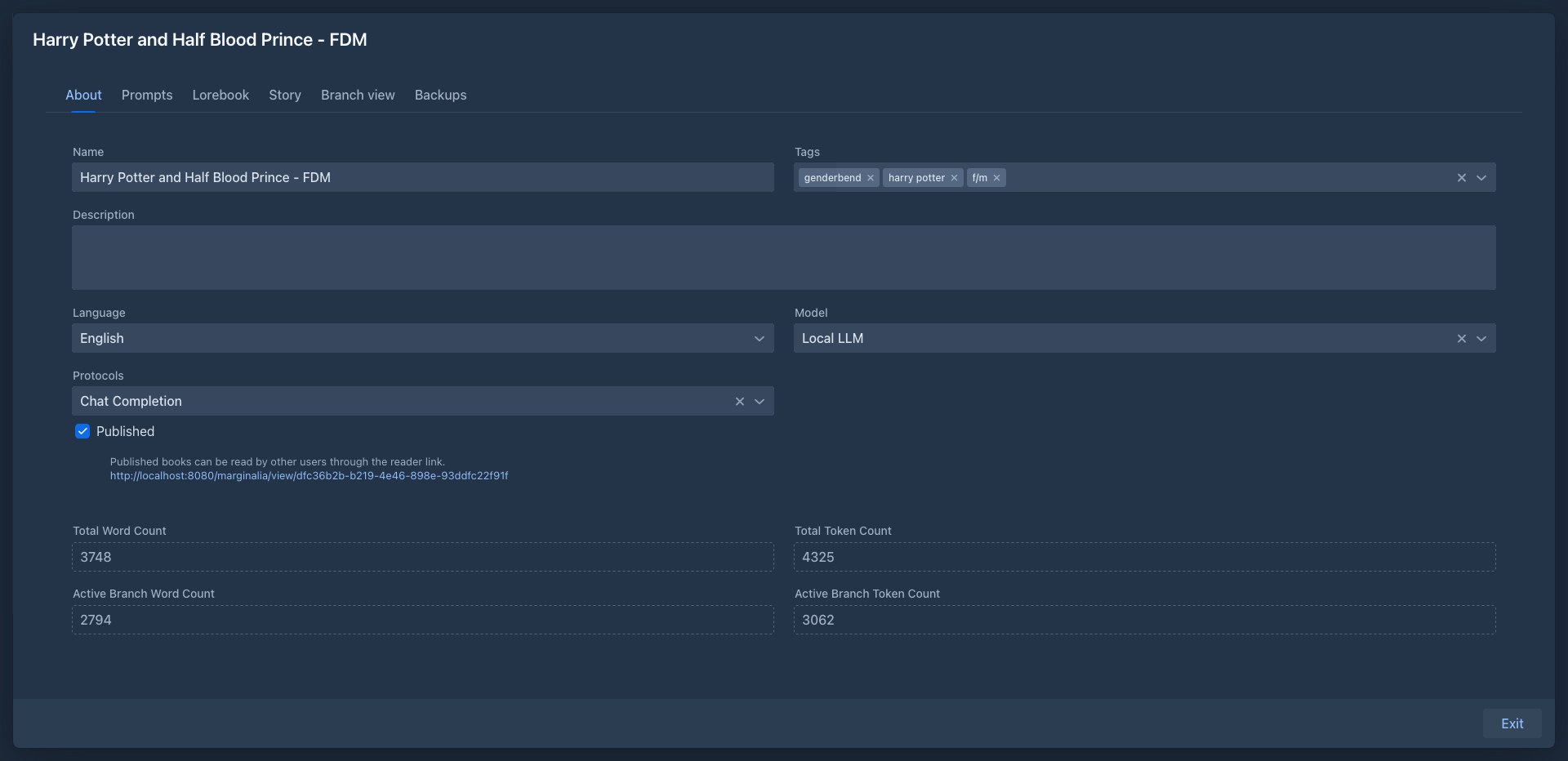
Changes are saved as you type.
Below are read-only counts:
A book needs a model and a protocol to generate. Without them, generating stops with Book is missing model. or Book is missing protocol.
Deleting a book
Click the trash button in the book list and confirm. The book disappears from your list.
Deleted books are not removed from the database right away. Until an administrator removes them, with all their parts, using Cleanup, you can bring the book back from the Trash tab. Until then the data is still in the database backups. The book's own backups are files and stay where they are.